CCTV and Smart Home: Cameras That Work With the Rest of Your House
A camera on its own only records. A camera that is part of your smart home does something useful with what it sees. When your CCTV works with the rest of the house, a motion alert can turn on a light, your cameras and controls live in one app, and you can glance in from anywhere. That is the difference between watching your home and your home working for you.
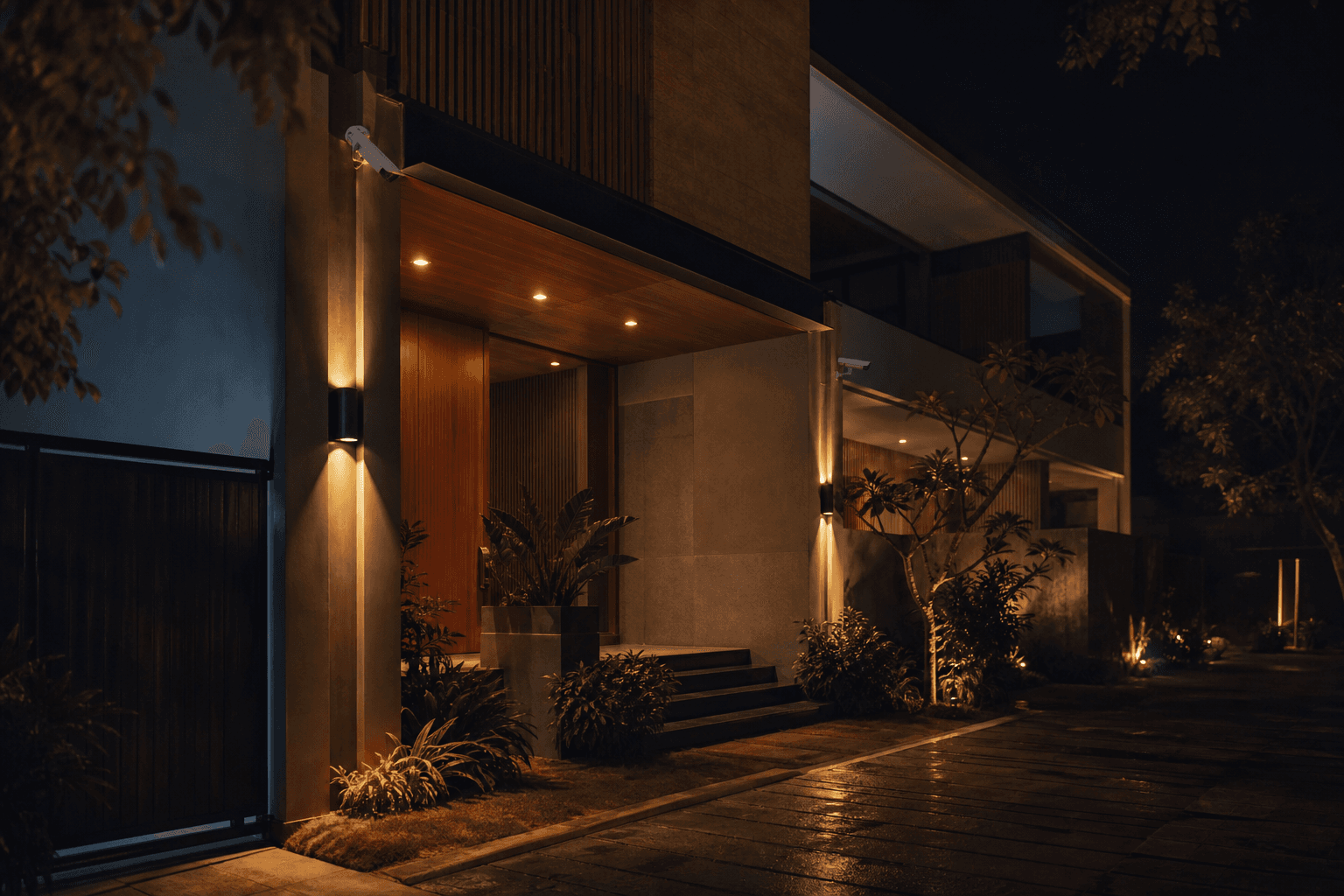
Standalone cameras versus an integrated system
Most homes have cameras that live on their own. They record to a box in a cupboard, and if you want to know what happened, you go and scrub through footage after the fact. Nothing else in the house knows the camera saw anything. The light stays off, no message reaches your phone, and the footage sits there until you look for it. That is a camera as a witness, useful, but passive.
An integrated system is different in one simple way: the camera shares what it sees with the rest of the home. When it notices motion at the gate, the house can respond. A porch light comes on, an alert reaches your phone, and the same camera shows up in the app you already use for your lights and gate. The camera stops being a screen you have to watch and becomes one part of a system that acts. That shift, from recording to reacting, is the whole point of putting CCTV inside a smart home.
What integration unlocks
Integration is worth it because of what it makes possible day to day. First, one app for everything. Your cameras sit beside your lights, gate, and scenes, so you are not switching between one app for footage and another for controls. Second, cameras that work with lights and alerts. A camera that sees movement can switch on a light and tell you at the same time. Third, event-based automation. You choose what a camera should trigger, and when, so the right thing happens without you doing anything. Fourth, remote check-ins. You open the app from anywhere and glance at a live view, which is exactly what you want when you are away.
One event, three useful responses, all at once. That is a camera doing something with what it sees.
What to look for in cameras
Before the clever automation, the cameras themselves have to be right. Four things decide whether a system is genuinely useful, and they matter more than the number on the box. Coverage, so the important approaches are actually seen. Night vision, because so much happens after dark. Storage, so footage is kept safely for as long as you need. And privacy, so the cameras watch your property and your footage stays in your control. Resolution and weather rating matter too, but get these four right and the rest follows.
Coverage
The gates, doors, and approaches are actually seen, with few blind spots. Placement beats sheer camera count.
Night vision
A lot happens after dark, so the cameras need to see clearly at night, not just in daylight.
Storage
Footage kept safely for as long as you need, whether local, cloud, or both, with a sensible retention window.
Privacy
Cameras pointed at your own property, footage in your control, and access only for the people you choose.
Cameras support good security, they do not replace it
It is worth being honest about what a camera can and cannot do. A camera helps you see and record what happens, and footage makes good evidence, but a camera does not physically stop anyone on its own. Real security comes from proper design: solid doors and locks, sensors, an alarm that responds, safe and tidy wiring, and sensible everyday habits. Cameras make that design stronger, because you can see what triggered a sensor and act on it, but they are one layer, not the whole wall. Anyone who tells you a camera alone secures your home is selling you a screen, not safety.
Think of cameras as the eyes of a well designed system, working alongside locks, sensors, and an alarm, not as a replacement for any of them.
How it fits the rest of an Onwords home
In an Onwords Living Home, cameras are designed in with everything else, not bolted on at the end. They share the same app as your lights, gate, and scenes, so a camera can play a part in how the home behaves. When you are away, the home can look after itself and let you look in, and when something out of the ordinary happens, the system can notice and tell you. Cameras give that behaviour something to see.
Securing an empty home while travelling
How cameras, lights, and locks work together to keep a home safe and lived in looking when nobody is there.
Smart home anomaly detection
How an Onwords home notices when something is out of the ordinary and tells you, with cameras as one of the things it can watch.
How to integrate CCTV with your smart home
Four steps, in order, to go from cameras that only record to cameras that work with the rest of the house.
- 01
Plan camera coverage first
Start with where you actually need to see: gates, doors, the driveway, and blind corners. Good placement with few blind spots matters more than the number of cameras, so map the coverage before choosing hardware.
- 02
Choose cameras that can work with your system
Pick cameras that can share what they see with the rest of the home, with the night vision, storage, and weather rating your site needs. This is what lets a camera trigger a light or an alert instead of only recording.
- 03
Bring cameras and controls into one app
Connect the cameras alongside your lights, gate, and scenes so everything lives in a single app. One place to glance at a camera and adjust anything else, at home or away.
- 04
Set up event-based automations
Decide what should happen when a camera sees something: a light that turns on, an alert to your phone, or a scene at night. Tune the zones and timing so the alerts stay meaningful and not noisy.
Getting it planned properly
The difference between cameras that help and cameras that gather dust is planning. It is worth mapping coverage before buying anything, choosing cameras that can actually work with the rest of the home, and deciding up front what each camera should trigger and how footage is stored. If you already have cameras, a good starting point is an honest look at what will integrate cleanly and what is better replaced. That is the kind of quiet, careful work that turns a pile of hardware into a home that looks after itself. When you are ready, we are happy to walk your site, plan the coverage, and design it in with the rest of your home.
Have a look at what we build, or when you would like a plan for your own home, get a smart home quote and we will design an Onwords home where the cameras work with everything else.
FAQ
It means your cameras are not a separate island. Instead of a standalone recorder that only saves footage, the cameras share what they see with the rest of the house. A camera that notices motion at the gate can switch on a light, send an alert to your phone, and appear in the same app as your lights, locks, and gate. The cameras become one part of a system that acts, rather than a screen you have to keep watching.